Saturday, 14 March 2015
Thursday, 5 March 2015
RAINBOW ON COMMAND PROMPT
FIRST OPEN NOTEPAD & COPY THE FOLLOWING--->>><<<
@Echo Off
:Top
Color 5
@Echo MS HACKBEATS MS HACKBEATS MS HACKBEATS MS HACKBEATS MS
Color 6
@Echo MS HACKBEATS MS HACKBEATS MS HACKBEATS MS HACKBEATS MS
Color 2
@Echo MS HACKBEATS MS HACKBEATS MS HACKBEATS MS HACKBEATS MS
Color 1
@Echo MSHACKBEATS MSHACKBEATS MSHACKBEATS MSHACKBEATS
Color 4
@Echo MS HACKBEATS MS HACKBEATS MS HACKBEATS MS HACKBEATS MS
Goto:Top
AND SAVE IT AS RAINBOW.BAT
Wednesday, 4 March 2015
NORMAL DATE AND TIME
FIRST OPEN NOTEPAD THEN COPY FOLLOWING
:A
Color 2
echo Here is the current time %date% %time% - MSHACKBEATS
Color 3
echo Here is the current time %date% %time% - MSHACKBEATS
Color 5
echo Here is the current time %date% %time% - MSHACKBEATS
color 6
echo Here is the current time %date% %time% - MSHACKBEATS
Goto:A
SAVE IT AS TIME.BAT
ADVANCE DATE &TIME
FIRST OPEN NOTEPAD THEN COPY THE FOLLOWING
@Echo Off
:Top
Cls
Color 3
Echo ------------------------------------------------------
Echo Time and Date..
Echo ------------------------------------------------------
Echo Time and Date --- %date% %time% -MS HACKBEATS
Echo Time and Date --- %date% %time% - MS HACKBEATS
ping 123.45.67.89 -n 1 -w 1000 > nul
Cls
color 2
Echo ------------------------------------------------------
Echo Time and Date..
Echo ------------------------------------------------------
Echo Time and Date --- %date% %time% - MS HACKBEATS
ping 123.45.67.89 -n 1 -w 1000 > nul
Cls
color 1
Echo ------------------------------------------------------
Echo Time and Date..
Echo ------------------------------------------------------
Echo Time and Date --- %date% %time% - MS HACKBEATS
ping 123.45.67.89 -n 1 -w 1000 > nul
Cls
color 3
Echo ------------------------------------------------------
Echo Time and Date..
Echo ------------------------------------------------------
Echo Time and Date --- %date% %time% - MS HACKBEATS
ping 123.45.67.89 -n 1 -w 1000 > nul
Cls
color 6
Echo ------------------------------------------------------
Echo Time and Date..
Echo ------------------------------------------------------
Echo Time and Date --- %date% %time% - MS HACKBEATS
Echo Time and Date --- %date% %time% -MS HACKBEATS
ping 123.45.67.89 -n 1 -w 1000 > nul
Goto:Top
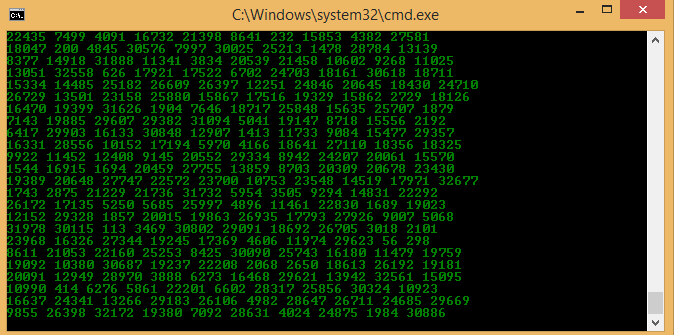
THEN SAVE IT IN MSHACKBEATS.BAT
Thursday, 26 February 2015
insert image on html
1) first open notepad and copy the following on notepad
<html>
<head>
<title>insert image on webpage</title>
<body bgcolor="green">
<img src="123.png" img boder="10" width="720" height="226">
</body>
</head>
</html>
the thing is highlight is the name of image so you have to change it
2)then save it as k .html
it is not necessary to save it as k.html you can put any name instead of k
Wednesday, 18 February 2015
FOLDER LOCK WITHOUT DOWNLOADING ANY SOFTWARE
First open a notepad
then copy the following on it
@echo OFF " to " :END " )
@echo OFF
goto :progressbar
:progressbar
set Counter=0
set Schalter=2
set Width=0
:1
set /a Counter=%Counter% + 1
set /a Display=%Counter% / 2
FOR /L %%A IN (1,1,%Display%) DO (
set Display=!Display!²
)
cls
echo Backing Up Files and Folders... %Counter%%%
echo ²!Display:~2,47!
ping localhost -n 1 >nul
if "%Counter%" == "100" goto :1-End
goto :1
:1-End
echo.
echo.
echo Process HAS COMPLETED SUCCESSFULLY..
echo.
echo.
echo PLEASE FOLLOW THE STEPS
echo 1. Now after loading is finished, a file will be created and you can drag any personel data in it.
echo 2. After it is done open the software once more and type yes to lock it.
echo 3 . Press [ANY KEY] to Continue...
pause
@ECHO OFF
title PassProtect
if EXIST "Control Panel.{21EC2020-3AEA-1069-A2DD-08002B30309D}" goto UNLOCK
if NOT EXIST goto MD
:CONFIRM
echo Are you sure to lock this folder? (Yes/No)
set/p "cho=>"
if %cho%==Yes goto LOCK
if %cho%==yes goto LOCK
if %cho%==no goto END
if %cho%==No goto END
echo Invalid choice.
goto CONFIRM
:LOCK
ren "Control Panel.{21EC2020-3AEA-1069-A2DD-08002B30309D}"
attrib +h +s "Control Panel.{21EC2020-3AEA-1069-A2DD-08002B30309D}"
echo Folder locked
goto End
:UNLOCK
echo Enter password to Unlock Your Secure Folder
set/p "pass=>"
if NOT %pass%== 32001
attrib -h -s "Control Panel.{21EC2020-3AEA-1069-A2DD-08002B30309D}"
ren "Control Panel.{21EC2020-3AEA-1069-A2DD-08002B30309D}" MyFolder
echo Folder Unlocked successfully
goto End
:FAIL
echo Invalid password
goto end
:MD
md
echo MyFolder created successfully
goto End
:End
YOUR PASSWORD IS 32001
you can change it
Then save it as folderlock .bat
First open a notepad
then copy the following on it
@echo OFF " to " :END " )
@echo OFF
goto :progressbar
:progressbar
set Counter=0
set Schalter=2
set Width=0
:1
set /a Counter=%Counter% + 1
set /a Display=%Counter% / 2
FOR /L %%A IN (1,1,%Display%) DO (
set Display=!Display!²
)
cls
echo Backing Up Files and Folders... %Counter%%%
echo ²!Display:~2,47!
ping localhost -n 1 >nul
if "%Counter%" == "100" goto :1-End
goto :1
:1-End
echo.
echo.
echo Process HAS COMPLETED SUCCESSFULLY..
echo.
echo.
echo PLEASE FOLLOW THE STEPS
echo 1. Now after loading is finished, a file will be created and you can drag any personel data in it.
echo 2. After it is done open the software once more and type yes to lock it.
echo 3 . Press [ANY KEY] to Continue...
pause
@ECHO OFF
title PassProtect
if EXIST "Control Panel.{21EC2020-3AEA-1069-A2DD-08002B30309D}" goto UNLOCK
if NOT EXIST goto MD
:CONFIRM
echo Are you sure to lock this folder? (Yes/No)
set/p "cho=>"
if %cho%==Yes goto LOCK
if %cho%==yes goto LOCK
if %cho%==no goto END
if %cho%==No goto END
echo Invalid choice.
goto CONFIRM
:LOCK
ren "Control Panel.{21EC2020-3AEA-1069-A2DD-08002B30309D}"
attrib +h +s "Control Panel.{21EC2020-3AEA-1069-A2DD-08002B30309D}"
echo Folder locked
goto End
:UNLOCK
echo Enter password to Unlock Your Secure Folder
set/p "pass=>"
if NOT %pass%== 32001
attrib -h -s "Control Panel.{21EC2020-3AEA-1069-A2DD-08002B30309D}"
ren "Control Panel.{21EC2020-3AEA-1069-A2DD-08002B30309D}" MyFolder
echo Folder Unlocked successfully
goto End
:FAIL
echo Invalid password
goto end
:MD
md
echo MyFolder created successfully
goto End
:End
YOUR PASSWORD IS 32001
you can change it
Then save it as folderlock .bat
Subscribe to:
Posts (Atom)